
Last updated: 2026-06-29
Slack connects through browser OAuth. Coop uses both bot and user tokens.
Org admin — connect Slack
- Admin portal → Integrations → Connect Slack
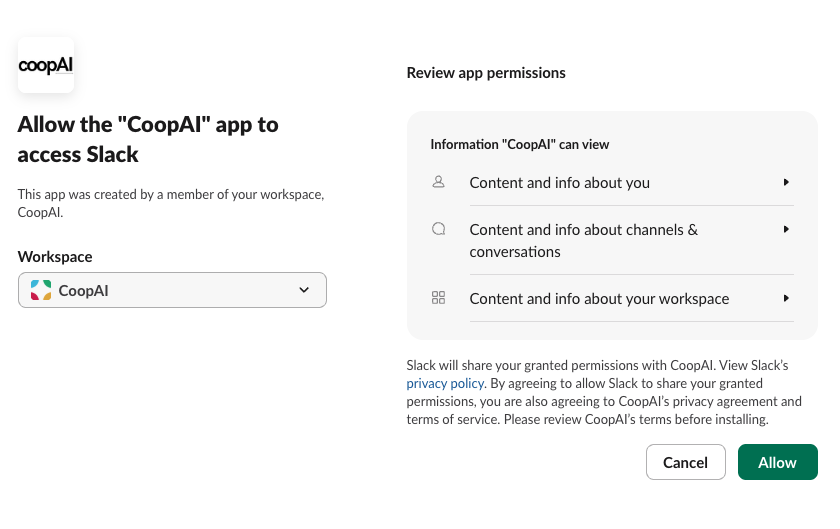
- Browser → Approve OAuth in Slack
- Return → Test Slack
Enterprise: Manage access → select channels → Save scope → Test
Success: Connected (Enterprise: Active after scope saved).
Why both bot and user tokens?
| Token | Used for |
|---|---|
Bot (xoxb-…) | Channel picker, channel metadata |
User (xoxp-…) | Workspace message search, thread history |
Required OAuth scopes
Your Coop operator registers these in api.slack.com/apps:
Bot Token Scopes: channels:read, groups:read, channels:history, users:read, users:read.email
User Token Scopes: search:read, channels:history, groups:history, users:read, users:read.email
Using Slack in chat
Type /slack in the composer:
/slack what did #platform-auth decide about session TTL?
Or ask naturally — Coop pulls Slack context when connected and scoped.
Private channels
The Coop bot must be invited to private channels before they appear in the scope picker.
Troubleshooting
| Symptom | Fix |
|---|---|
| "Invalid permissions requested" | Add missing scopes in Slack app settings; reinstall to workspace |
| Channel picker empty | Disconnect + reconnect after reinstalling Slack app |
missing_scope in Manage access | Add bot scopes channels:read, groups:read; reconnect |
| Test Slack / search fails after “Connected” | Reconnect from the admin portal (Extension → Manage Slack). Then Refresh status → Test Slack. |
| Search returns nothing | Save scope with allowlisted channels; test again |
See Integration scope for Enterprise allowlists.