
Last updated: 2026-09-09
CoopAI assigns an LLM per feature when you leave the picker on Auto (the default). Free stays Auto-only. Pro, Pro+, Max, and Enterprise pick a model from the model menu in chat. Picking a Frontier model fills the monthly usage bar faster. See Plans & billing.
Autocomplete, intent suggest, source previews, and PR notes always use the assigned model and count as Base model on the monthly bar. They do not follow the chat picker.
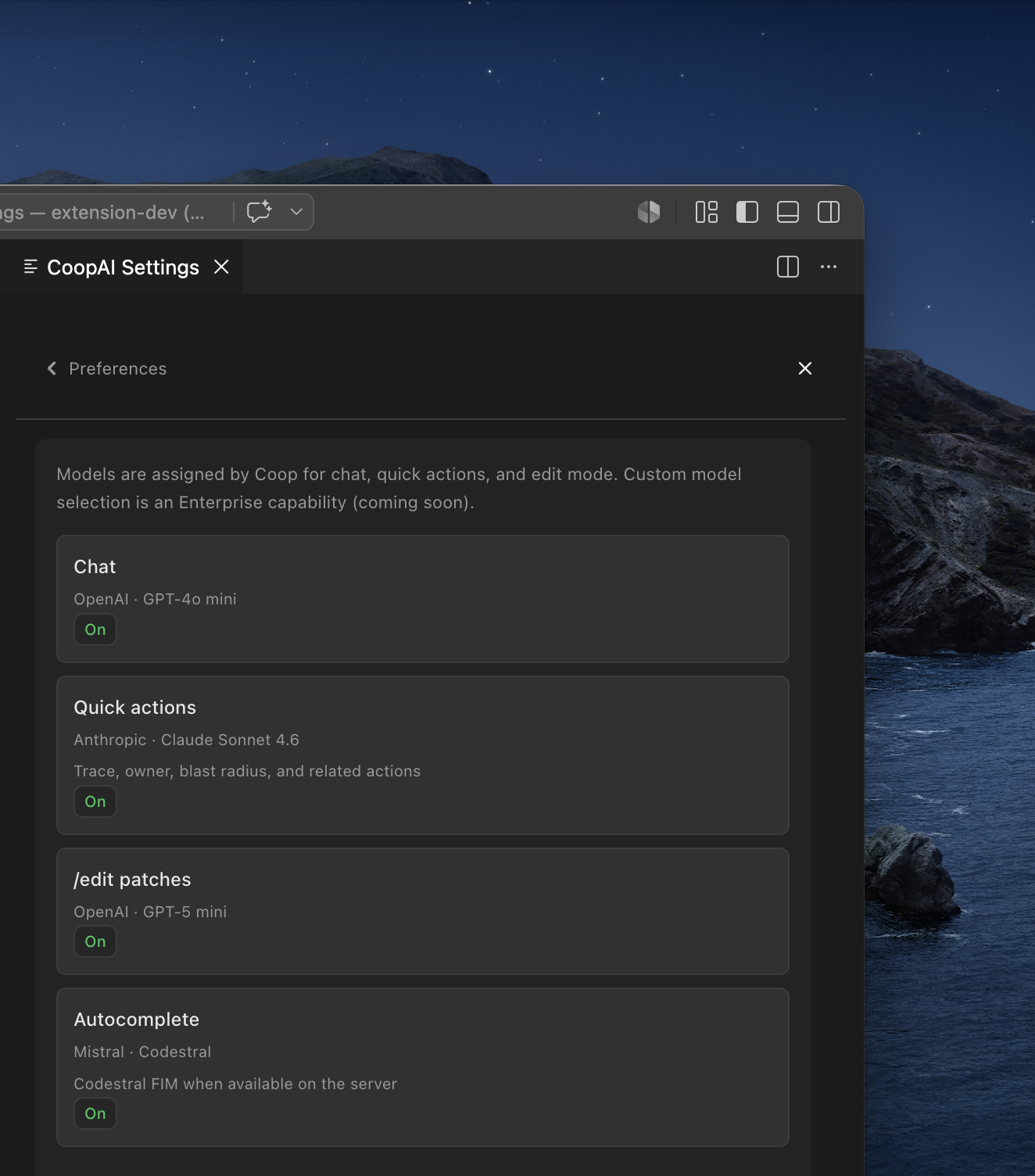
Assigned models (what Auto uses)
| Feature | Provider | Model | Routes via |
|---|---|---|---|
| Chat (free-form composer) | OpenAI | GPT-5 mini | Chat session → resolveAssignedModelForUseCase() |
| Quick actions (Understand Repo, Trace Decision, Find Owner, Blast Radius, Knowledge Gaps; integration chat) | Anthropic | Claude Sonnet 4.6 | Same |
/edit patches (/edit, /patch, /fix) | OpenAI | GPT-5.1 | Same (code_edit use case) |
| Autocomplete (inline ghost text) | Mistral | Codestral | completionRouter.ts → FIM when available |
| Intent suggest (quick-action chips when phrase match is weak) | OpenAI | GPT-4o mini | Same (intent_suggest use case) |
| Sources expand preview (short AI overview for expanded source cards) | OpenAI | GPT-4o mini | Same (evidence_preview use case) |
| PR notes (Create pull request summary) | OpenAI | GPT-4o mini | Same (pr_summary use case) |
| Embeddings (Deep-Index semantic search) | OpenAI | text-embedding-3-small | Backend only — not shown in settings |
Quick actions and integration chat share the quick actions assignment. Plain chat in the composer uses the chat assignment unless you pick another catalog model. Intent suggest runs for everyone when the local phrase classifier is unsure — it never auto-runs a quick action (chips confirm first). Sources expand previews use a short AI overview when the body is long; expanded panels never dump full commit/PR/thread text — use the outbound link for the full record. Create pull request Notes use the same cheap OpenAI mini model and are labeled (AI Generated) — you can edit them before submit.
Settings UI — Model & chat
Extension UI → Settings (gear) → Preferences → Model & chat
Paid users see:
- How Auto works, plus a plain list of what Auto uses (feature → model, with a link to the maker’s docs)
- Models you can pick, grouped by maker, each linked to that model’s docs
- One toggle you can change:
- Enable inline autocomplete — master switch for ghost-text completions
- Save model settings persists the autocomplete toggle. Change models from the model menu in chat.
This page does not change when you pick a model in chat.
Free users see the same page. The model menu in chat is Pro and above.
The Preferences hub subtitle shows Assigned models plus autocomplete status (for example, Assigned models · Autocomplete on).
Coop does not show credit weights on each picker option. Plan & Usage shows one monthly bar: Base model (green) then Frontier model (blue). Auto can land in either slice.
Developer mode override
Set coopAI.devMode: true in VS Code User settings to unlock local coopAI.llmProvider and coopAI.defaultModel overrides for testing, including on Free.
Related settings
| Setting | Default | Purpose |
|---|---|---|
coopAI.defaultModel | auto | Global picker sentinel; catalog ids on paid plans |
coopAI.autocomplete.enabled | false | Same as Enable inline autocomplete (global scope) |
coopAI.devMode | false | Unlock provider/model overrides and local PAT flows |
See Extension settings for the full settings hub.
Next steps
- Inline autocomplete — off by default, global persistence, opt in from Settings
- Edit mode —
/edituses GPT-5.1 on Auto - Create pull request — notes use GPT-4o mini
- Plans & billing — seat-based Pro / Pro+ / Max usage