
Last updated: 2026-08-21
In production, GitHub connects through the browser — not a pasted PAT in VS Code.
Org admin — connect GitHub
Browser — admin.coop-ai.dev/integrations
GitHub App (recommended — Pro / Enterprise)
- GitHub card → Connect (GitHub App)
- Browser — On GitHub, choose your company organization (not a personal account) → select repos → Install
- Return to admin portal → Refresh until Connected → Test GitHub
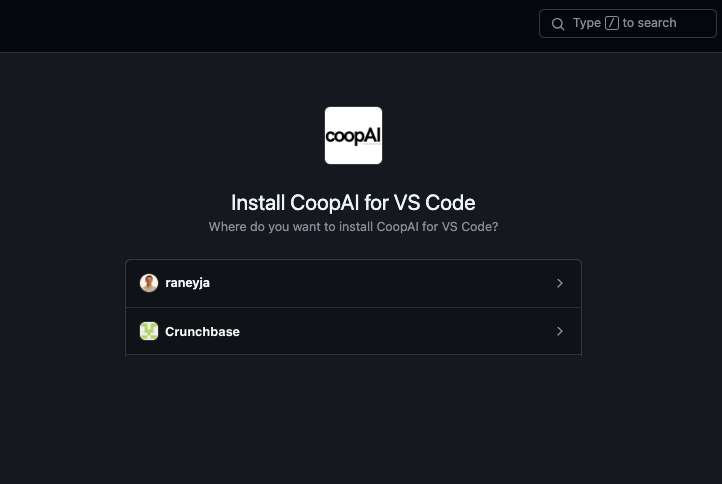
If you are not the GitHub org owner:
- Click Send link to GitHub admin
- Copy the link to your GitHub org owner / IT
- They install on the company org; you Refresh when done
Success: GitHub row shows Connected; Indexing lists org repos (your-org/...).
Limited connect (OAuth fallback)
When the GitHub org owner cannot install the App and the server has GITHUB_OAUTH_* configured:
- Limited connect (OAuth) on the GitHub card
- Authorize as yourself in the browser
- Indexes repos you can read — not full company estate
Connected via OAuth shows a note on the card. Prefer GitHub App for production orgs.
Already installed on GitHub?
If the App is on your org but Coop shows not connected, click Connect (GitHub App) again. Coop may relink automatically, or GitHub opens Configure → click Save → return and Refresh.
What Coop uses GitHub for
- Webhook-driven repo indexing (push, PR events)
- CODEOWNERS and blame for Find Owner
- PR and commit history for Trace Decision
- Create pull request from applied
/edits or any Use-repo editor change — patch card or Create a PR in chat - Symbol graph and dependency analysis (Deep-Index / Lightning Mode — all plans)
To open a PR from VS Code, see Create pull request. Click Create pull request on the patch card, or type Create a PR in chat after Apply or after editing a Use-repo file. It uses this GitHub connection.
GitHub App vs OAuth
Hosted Coop at api.coop-ai.dev uses a GitHub App for org-wide installation. Self-hosted operators can configure either:
| Mode | Best for |
|---|---|
| GitHub App | Production, org-wide repo access |
| OAuth App | Local dev, small teams, limited fallback |
Operator setup: see repo docs/github-connect.md (platform operators).
Workspace settings
After GitHub is connected and repos are indexed, each developer sets Settings → Workspace (or picks workspace repos):
- Owner (org or user)
- Repository name
- Default branch
All plans select up to 3 workspace repos from the admin’s indexed catalog. Free orgs can Deep-Index up to 3 repos org-wide; Pro has no org-wide cap.
Developer mode (local only)
With coopAI.devMode: true, paste a GitHub PAT in Settings → Tools → GitHub.
Suggested scopes: repo, read:org.
Troubleshooting
| Symptom | Fix |
|---|---|
| "GitHub is not configured on the Coop server" | Operator must add GitHub App/OAuth creds |
| "Invalid or expired install state" | Start from admin Connect or Send link — do not open GitHub install URL without Coop’s state |
| No org on GitHub install page | You must be GitHub org Owner; uninstall from personal account and retry |
| "Sign in to Coop first" | Sign in under Settings → Account (Google, email, or Sign in with SSO for Enterprise) |
| Callback fails | Setup URL must match https://api.coop-ai.dev/v1/github/app/callback |
| Still see PAT field | Disable coopAI.devMode for production |
Coop sign-in vs GitHub
- Coop sign-in — email/password, Google, or Sign in with SSO (Enterprise) identifies you to the Coop backend
- Connect GitHub — authorizes GitHub; stores tokens on the server
Both are required in production mode. Automation API keys are optional and for CI/scripts only.