
Last updated: 2026-08-21
In production mode (coopAI.devMode: false), integration tokens live on the Coop server — not in VS Code. Org admins connect once for the whole organization in the admin portal.
Prerequisites
- Admin account with access to admin.coop-ai.dev (sign in with email/password, Google, or SSO)
- Coop operator has configured OAuth apps on the API server (hosted Coop handles this automatically)
Enterprise: SAML SSO is optional and independent of integrations — you can connect GitHub, Slack, and other tools before or after configuring Single Sign On (SSO). SSO affects how users sign in; integrations affect what context Coop can search.
5-minute checklist
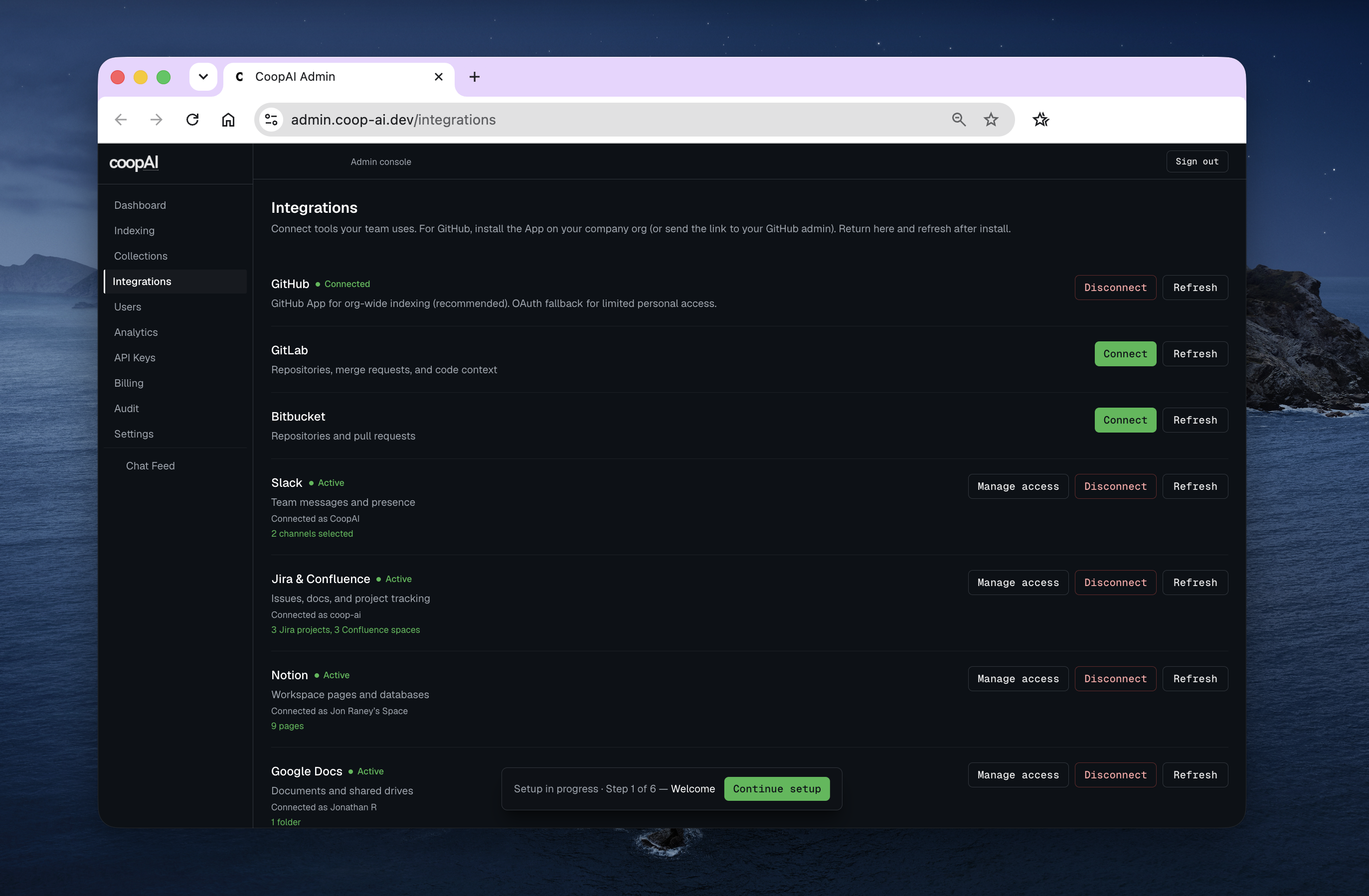
Browser — Admin portal → Integrations
| # | Integration | Success |
|---|---|---|
| 1 | GitHub → Connect (GitHub App) or Send link to GitHub admin → install on company org → Refresh → Test | Connected |
| 2 | Slack → Connect → approve → Test | Connected |
| 3 | Jira → Connect + set Jira site URL → Test | Connected |
| 4 | Confluence → Connect + set site URL → Test | Connected |
| 5 | Notion → Connect → Test | Connected |
| 6 | Google Docs → Connect → Test | Connected |
| 7 | Microsoft Teams | Coming soon — do not connect |
| 8 | Indexing → Configure GitHub → Deep-Index company repos | Repos ready |
| 9 | Extension UI → Workspace → owner / repo / branch | Saved |
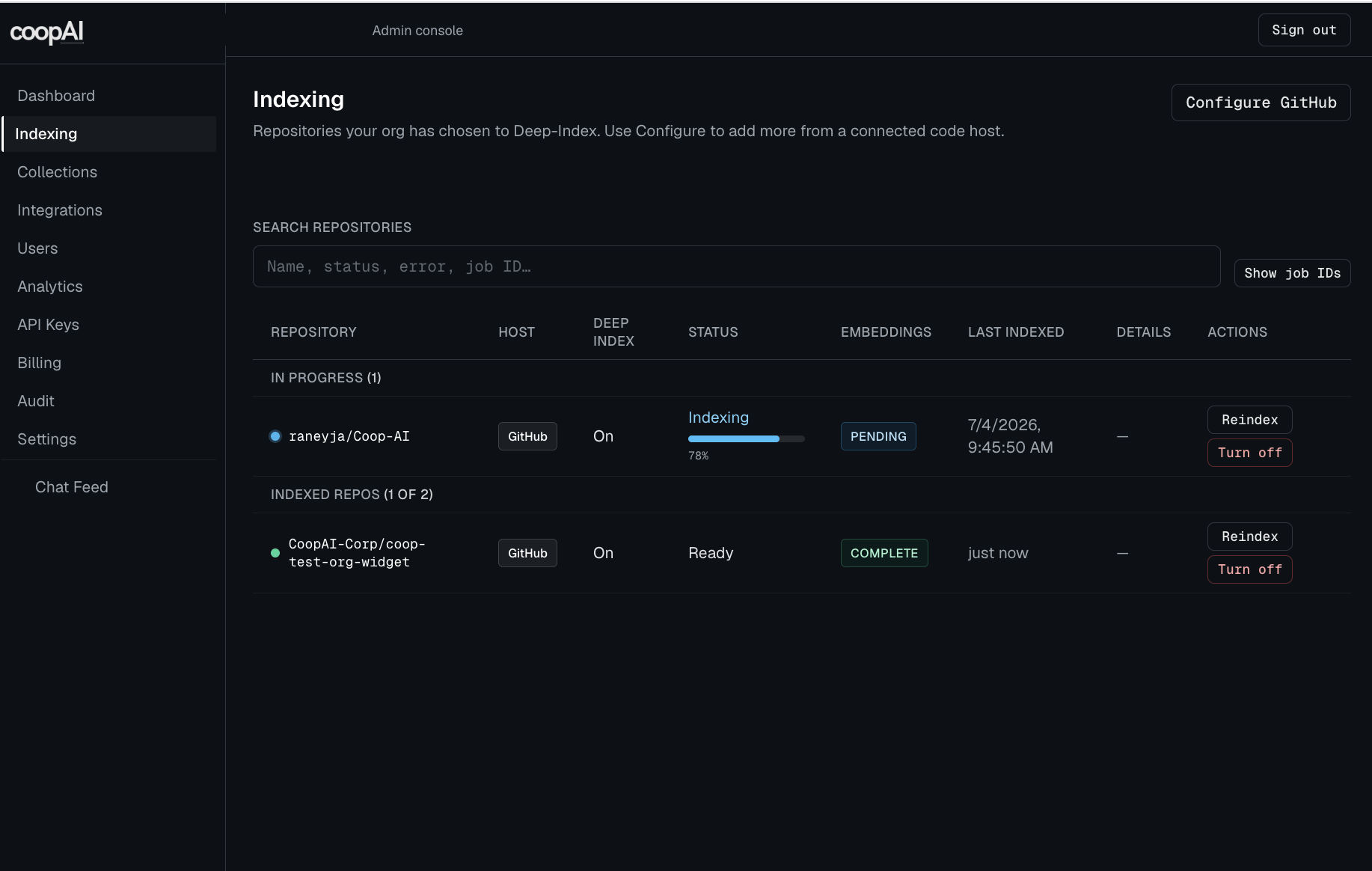
For GitHub, company repos must be installed on a GitHub Organization — see GitHub.
Admins with owner/admin role can also connect from Extension UI → Settings → Tools; the admin portal is recommended for GitHub org install and scope management.
What each integration enables
| Tool | Coop features powered |
|---|---|
| GitHub / GitLab / Bitbucket | Repo indexing, PR history, CODEOWNERS, blame, Create pull request from applied /edits or editor changes (patch card or Create a PR in chat) |
| Slack | Trace Decision, Knowledge Gaps with thread context |
| Jira | Ticket-linked decision archaeology |
| Confluence / Notion / Google Docs | Documentation cross-reference in answers |
| Teams | Coming soon — not searched in chat or Trace Decision |
Per-integration guides
Developer mode (local testing only)
Individual developers can paste PATs in Extension UI → Settings → Tools when coopAI.devMode: true. Do not use dev mode for production orgs.
Troubleshooting
| Symptom | Fix |
|---|---|
| 503 / not configured | Contact Coop operator — OAuth apps not registered on server |
| 403 admin required | Sign in with an owner or admin account (not a developer-only account) |
| GitHub “Waiting for GitHub” stuck | Finish install on GitHub (org, not personal) → Refresh; or Connect again for auto-relink |
| Redirect URI mismatch | Operator must fix callback URL in vendor console |
| Empty search results | Set Workspace owner/repo; ensure indexed content references your repo |
See Troubleshooting for more.
Next steps
- Integration scope — limit which channels/projects Coop accesses
- Extension settings — workspace configuration