
Last updated: 2026-06-29
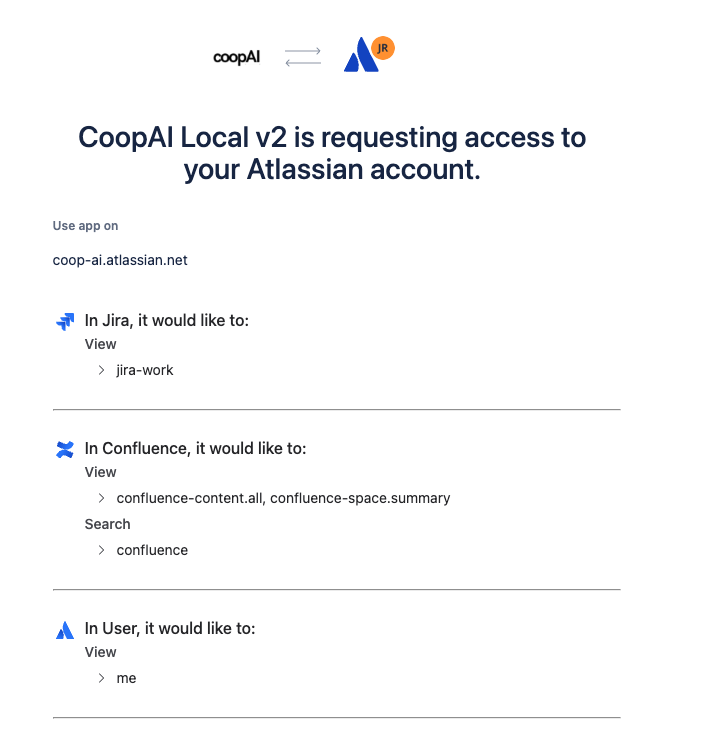
Jira connects via Atlassian OAuth (shared with Confluence).
Org admin — connect Jira
- Admin portal → Integrations → Connect Jira
- Browser → Approve Atlassian OAuth
- Test Jira
Enterprise: Manage access → select projects → Save scope.
Using Jira in chat
Type /jira in the composer:
/jira what tickets are open for the auth middleware refactor?
Trace Decision and Knowledge Gaps automatically cross-reference Jira when connected.
Confluence
Confluence uses the same Atlassian OAuth app. Connect from the admin portal (or Tools → Confluence), then use /confluence or /wiki in chat. Site URL comes from OAuth — no manual site URL field in the extension.
Troubleshooting
| Symptom | Fix |
|---|---|
| Empty ticket search | Check Manage access includes relevant projects; reconnect Atlassian if needed |
| OAuth redirect fails | Callback must be https://api.coop-ai.dev/v1/atlassian/app/callback |
| 403 on search | Re-connect; ensure Atlassian app has required scopes |
See Connect integrations for the full checklist.